
Trust Wallet Drops 25 Networks: What Users Should Know After September 15
Recap as of September 27, 2026: Trust Wallet had announced it would remove built-in support for 25 blockchain networks from its app on September 15, 2026, among them MultiversX, Polygon zkEVM and Moonbeam. Your coins stay yours, the convenient access does not: this article shows how to add a chain by hand and for which nine networks that route is not open.


Which topics should we dive deeper into?
Select what genuinely interests you. Your picks feed directly into our editorial planning.
Crypto news that's actually worth your time.
Weekly. 60 seconds. Carefully curated by our editors: no hype, no promo flood, no spam.
As of September 30, 2026: what applies after the cutoff
September 15, 2026 has passed, and according to Trust Wallet's announcement, last updated on September 2, 2026, the affected networks no longer appear in the app's network list. Your coins remain on their blockchain and stay tied to your recovery phrase. There are two ways back in, depending on the chain:
- EVM networks: you add the chain by hand as a custom network; the details come, for example, from the Chainlist directory. How that works is explained below.
- The nine non-EVM networks Agoric, Decred, FIO, Firo, Flux, MultiversX, Nano, Nimiq and Stride cannot be added. The only route is to import your recovery phrase into another wallet that supports the network; Trust Wallet shows it under Settings, Security and Privacy. Only enter the phrase into the official app of a wallet you trust, and never share it with anyone.
According to the same announcement, Trust Wallet switched off Trust Handles, the wallet names on the FIO chain, as early as September 7, 2026, a week before the networks.
The sections below reflect the situation as of August 31, 2026; the details on the end of Trust Handles, on BounceBit and on the cutoff have been adjusted.
Trust Wallet had announced that it would remove built-in support for 25 blockchain networks from its app on September 15, 2026. Your coins do not disappear: the balances stay on their respective chains and remain tied to your recovery phrase. What goes is the convenient route to them. From that day the affected networks no longer appear in the app's network list, and without one manual step you will not see your balance there, cannot send it and cannot swap it.
That step is called a custom network. You enter the chain yourself, together with its technical connection details. It works for most of the affected networks, but by no means for all of them. This article names the 25 chains, walks through the manual entry step by step, shows which nine networks the route is closed to, and tells you when moving to another wallet is the better choice.
What happened in Trust Wallet on September 15, 2026, and what did not happen to your balance
Trust Wallet announced the shutdown on August 18, 2026, on its own product blog and explains it with a routine review of network coverage. The company puts it plainly: "Your assets remain yours." Trust Wallet is a self-custody wallet and never holds your balances itself.
What changes is the user interface, and nothing else. After the deadline, three things fall away for the affected chains, according to the provider: you can no longer view your balance in the app, no longer send it, and no longer swap it through the built-in swap function. The networks themselves keep running, your address still exists, and the balance on the chain stays unchanged. This has become a display question, not an ownership question.
In practice that covers more than the balance readout. On the retired chains, NFTs also disappear from the overview, the built-in token swaps no longer reach them, and the app no longer offers these networks for connections to dApps, meaning decentralised applications operated straight from the wallet. That Trust Wallet has discontinued networks still changes nothing about your ownership: control over the cryptocurrencies stays with you, because it hangs on your recovery phrase.
The industry term for this is a sunset: an announced, orderly retirement of a feature with a fixed end date, as opposed to an abrupt shutdown. The September 15 cutoff has since passed; if you use one of the affected networks, add the chain as a custom network as described below, where that is possible for the network.
Trust Wallet also makes clear that users with no balances on these chains need to do nothing at all. That is your first step: open the app, go through the network list, and establish whether this concerns you in the first place. Anyone who keeps most of their holdings on a hardware wallet and uses the app only as a secondary route will in many cases get away with a visual check.
Which 25 networks Trust Wallet is removing from the app
The provider lists the affected chains in full. In alphabetical order they are:
- Agoric
- Aurora
- Boba
- BounceBit (already shut down by its own ecosystem, according to the September 2 update)
- Conflux
- Decred
- FIO
- Firo
- Flux (formerly Zelcash)
- GoChain
- IoTeX
- KuCoin Community Chain
- Manta
- Merlin Chain
- Meter
- Moonbeam
- Moonriver
- MultiversX
- Nano
- Neon
- Nimiq
- Polygon zkEVM
- Stride
- Viction
- Wanchain
Trust Wallet lists three further names separately, because they have already been shut down by their own ecosystems: Evmos, Nebulas and Stargaze. With the September 2 update, the announcement also counts BounceBit in this group, which leaves 24 networks switched off in the app. Here the announcement changes little in practice, since those chains no longer run in their previous form anyway.
At first glance the list reads like a collection of small fringe chains. In several cases that impression is wrong. MultiversX and its EGLD token have been among the better-known layer-1 projects for years, Polygon zkEVM carries the name of one of the largest Ethereum scaling projects, Moonbeam and Moonriver are the EVM gateways of the Polkadot and Kusama environments, and Nano has a small but very loyal user base in payments. Anyone who collected airdrops or took part in test phases over the past few years stands a fair chance of holding leftovers on at least one of these chains.
Neon is a special case on the list: this chain brings an EVM environment to Solana and is aimed mainly at developers who want to run Ethereum applications there. For your holdings that changes nothing about the arithmetic, but it does change where you look for a replacement, namely in the ecosystem of the chain itself rather than among the large Web3 wallets.
Self-custody explained: why your coins sit on the blockchain and not in the app
Self-custody means that you alone control the cryptographic key to your crypto assets and that no company keeps it for you. The recovery phrase is the sequence of words from which this key, and with it every one of your addresses, can be derived, which makes it the actual proof of ownership.
Several names circulate for the same thing. Seed phrase, recovery phrase and mnemonic all mean the same: the sequence of usually twelve or twenty-four words from which your keys are derived. Whoever holds these words holds control over the cryptocurrencies at all associated addresses, and whoever loses them makes up for that loss by nothing at all. A crypto wallet is therefore essentially a keyring and not a safe.
From that follows the point where most misunderstandings arise: a wallet app stores no coins. The program derives addresses from your recovery phrase, queries the respective balance from the networks and displays it to you. Your assets sit on the blockchain the entire time. If the display falls away, the holding is unaffected, and a blockchain explorer will still show you the same address with the same balance.
With an exchange the situation is reversed. There a company holds the keys and runs an account for you that is an entry in its database. If that company delists a token or suspends withdrawals, your access is affected immediately. Anyone who keeps this difference in mind judges news like this one far more calmly. If you want to know which providers are suited to which job, our exchange comparison and our software wallet comparison set out the respective terms and network coverage.

What a custom network is and why it is the only way back into the app
A custom network is a network you enter into the wallet app by hand instead of picking it from a prepared list. The app then knows again how to talk to that chain, and displays your balance there once more.
For that you need four technical details, which together describe the connection. The RPC endpoint is the server address through which your app sends requests to the network and receives answers back. The chain ID is the unique identifier of the chain and prevents a transaction from ending up in a different network by accident. The currency symbol names the unit in which fees are settled. The block explorer, finally, is the website through which transactions can be looked up.
Trust Wallet attaches a warning to this route that you should take seriously: the provider checks neither the legality nor the security nor the reliability of custom networks, RPC endpoints or tokens. Anyone entering the wrong data here connects their app, in the worst case, to a server that returns manipulated answers. The network details must therefore come from a source you trust, and in case of doubt that is the official documentation of the project concerned.
How to add a network manually with its RPC details
The provider describes the route in the mobile app in seven steps. It applies to iOS and Android alike, and the wording of the menu entries can differ slightly depending on the app version. The path is shorter than it sounds, provided the network details are already in front of you.
The route inside the app
- On the home screen, scroll down to the token section.
- Tap "See all".
- Open the settings at the top right.
- Select "Manage crypto".
- Tap the plus symbol.
- Switch from the "Token" tab to the "Network" tab.
- Enter the network details and import the network.
Where the network details come from
For the parameters, Trust Wallet points to Chainlist at chainlist.org and describes it as a directory of EVM-compatible networks. You open that platform in a browser, on a computer as readily as on a phone. The details you pick up there are public connection data and not secrets; even so, their origin decides which server your app ends up talking to. The sequence there: call up the chain you are looking for, review the details on offer, select a trustworthy RPC endpoint, copy the values and enter them in the app. One point from practice that appears in no manual: for the same chain there are often several endpoints to choose from, and they differ in availability and speed. If the app shows a balance of zero after the import although you are certain that funds are there, the endpoint is usually the problem and not your holding. In that case you enter a different one and check again.
Before you rely on a freshly entered connection, send a small test transfer and look at it in the block explorer. Only once that single transaction has visibly gone through do you know that the connection and the address are right.
Chainlist only covers EVM chains: for nine of the 25 networks this route leads nowhere
Here lies the gap that neither the provider nor the coverage so far spells out. The EVM, short for Ethereum Virtual Machine, is the execution environment of Ethereum. EVM-compatible means that a chain uses the same address format, the same transaction structure and the same tooling. Chainlist is a directory of precisely those chains, and Trust Wallet says as much in its own instructions.
Not all 25 retired networks are EVM chains. On August 31, 2026, I checked the 25 names against the open chain database that Chainlist uses as its data source and that is available at chainid.network/chains.json. At that point the dataset covered 2,739 entries. For nine of the retired networks, no entry can be found there under their name:
- Agoric
- Decred
- FIO
- Firo
- Flux
- MultiversX
- Nano
- Nimiq
- Stride
That is not down to the directory, it is down to how these chains are built. Decred, Firo and Nano rest on their own protocol architectures, MultiversX works with its own address format, Agoric and Stride belong to the Cosmos environment, and FIO is a chain specialised in address naming. All nine simply speak a different technical language from Ethereum.
For you that means: if your balance sits on one of these nine chains, adding it as a custom network in Trust Wallet is not a solution you can assemble from an EVM directory. Instead you need the official wallet of the project concerned, another multi-chain wallet with matching support, or you move the holdings to an exchange that lists the token. Since September 15 that is only possible through another wallet into which you import your recovery phrase.
Trust Handles already ended on September 7: what users of a wallet name have to change
A Trust Handle is a human-readable name you can give instead of a long wallet address so that someone can send you crypto assets. Technically it is a registration on the FIO chain, and because FIO is on the shutdown list, the feature ended too, according to the September 2 update of the announcement as early as September 7, 2026.
The provider writes that since September 7 no new Trust Handles can be registered, and that existing ones will no longer work in Trust Wallet for sending, receiving, managing or renewing. One detail is decisive here and is easily missed: the registration as such remains in place on the FIO chain, but adding FIO as a custom network does not bring the handle feature back into the app. The route that helps with every other chain does not help with this one feature. Trust Wallet recommends using the wallet address directly in future instead.
In practice that means a small tidying-up job. If you have lodged your handle somewhere as a receiving address, as a withdrawal address with a service, in a recurring payment or simply with people you know, then you inform those places now and pass on the address. Otherwise transactions sent to the handle after the deadline will run into nothing.
Check token approvals before you leave a chain
One point the announcement does not address, and one that regularly gets lost during the clean-up: token approvals. An approval is the permission you grant a smart contract once, so that it may move a particular token from your address. That permission continues to apply even when you no longer see the chain in your wallet, because it sits on the blockchain and not in the app.
Such openings to your holdings therefore do not disappear along with the display. Anyone who has used dApps on one of the affected chains over the past few years is better off revoking open approvals soon. Since the cutoff revocation remains possible, but it is more awkward, because you first have to re-establish a working connection to the chain.
Moving instead of adding: when switching to another wallet or an exchange is the better choice
Adding the network is not the more sensible route for everyone. Four questions help with the decision, and you can answer them for yourself in a few minutes.
How large is the holding? For amounts in the low double digits the effort is often out of all proportion, particularly as the network fee for the move applies as well. For larger positions both are worth it: the move and the proper documentation.
Is the chain on the list of nine? If so, the convenient route via an EVM directory falls away, and you plan the switch straight off.
Do you trust yourself to enter connection details? Trust Wallet explicitly targets newcomers as well. Anyone left puzzling over the terms from the previous section is better served by a wallet that carries the network out of the box than by a self-built connection.
Do you want to hold the token at all? With leftovers from old airdrops, selling or consolidating is frequently the more honest answer than an access route you never open again.
If you decide on the move, an order of operations saves trouble: first create the destination address and read it over twice, then send a small test transfer and confirm its arrival, then trigger the remaining transfer. Whether the destination address belongs to an account at an exchange from our exchange comparison or to a wallet is something you decide according to whether you want to sell or carry on self-custodying.
Can a wallet app block your balance?
With a self-custody wallet the answer is no. The provider can restrict the display and the controls, as is happening here, but it can neither freeze nor move nor delete your holdings. The reason lies in the construction: the keys are created on your device from your recovery phrase, and the company does not know it.
With a custodial account things look different. An exchange or a provider with custody carries your holding in its own books and can suspend withdrawals, halt trading or freeze accounts, whether for regulatory reasons or because of trouble of its own. How closely this difference is tied to authorisation requirements, and how you tell when a provider needs a licence, we broke down in our piece on the authorisation requirement for the custody of crypto assets.
The honest verdict after September 15 is therefore this: your access through this one app has fallen away, your ownership has not. That is a noticeable difference in day-to-day use and still good news.
Why a deadline like this attracts phishing and how to spot the trick
Every announced changeover with a date is a template for fraud attempts. The pattern is always the same: a message picks up the genuine date, creates time pressure and offers help. The supposed support desk then asks for the recovery phrase or urges you to move your holdings into a "secure" wallet.
The building blocks are always the same as well: a message in the name of your wallet provider, time pressure invoking the genuine date, and phishing links leading to a rebuilt input form. Crypto fraud of this kind lives off a real event making the story credible, and an announced deadline delivers exactly that free of charge. Here you recognise fraud by the substance of the demand and never by the look of the message.
Trust Wallet devoted a separate answer to this trick in its own announcement and writes that the company will never ask for the secret phrase, for private keys or for other sensitive wallet data, and that it will never call on anyone to move funds into another wallet as part of this changeover. That gives you a clear test to hand: any approach demanding precisely that is a fraud attempt, no matter how professional it looks.
The channels for it have long since stopped being email and direct message alone. How far the perpetrators now go is shown by the case in our piece on wallet phishing by postal letter, where a printed QR code in the letterbox was meant to harvest the recovery phrase. Remember the one rule that defeats every variant: the recovery phrase gets entered nowhere except when restoring your own wallet on your own device.
The second wallet rollback in four weeks: what the comparison with Phantom shows
This announcement does not stand alone. In late August, Phantom ended support for Sui and Monad, with two deadlines and the same basic question for users. We wrote up the sequence at the time in our piece on the end of support at Phantom Wallet, and the parallels are striking: a routine review as the justification, holdings left untouched, access moving into the user's own responsibility.
More can be drawn from this for choosing a wallet than a note in the diary. The number of supported chains is a marketing promise and not a lasting commitment. That number can shrink at any time, and the more exotic the chain, the likelier it is. Anyone holding balances on smaller networks should therefore know which wallet the project itself offers, and note that information down once, before they need it.
A second point concerns storage itself. When a provider rolls back the user interface, you notice immediately how heavily you have leaned on this one app. A recovery phrase that is backed up properly, and with which you can carry on in any compatible wallet if need be, makes you independent of such decisions. That is precisely the practical core of self-custody, and it shows itself not on the day you set things up, but on a day like September 15.
Trust Wallet shutdown: what to take away
- Check whether the shutdown concerns you at all. Go through the 25 networks above and look in the app for whether there are balances there. If you find nothing, you need do nothing. If you find something, decide between adding and moving, and use the network coverage from our software wallet comparison as your yardstick.
- Since the cutoff, holdings on the nine non-EVM chains can only be reached through another wallet. For Agoric, Decred, FIO, Firo, Flux, MultiversX, Nano, Nimiq and Stride there is no convenient way back via an EVM directory. If you want to sell, you need a trading venue that lists the token, and the terms for that are in our exchange comparison.
- Secure the recovery phrase before you do anything else. Every move and every manual entry assumes that you can get back into your wallet if something goes wrong. Anyone holding larger amounts shifts them on this occasion to a device with separate key storage; the differences between the models are set out in our hardware wallet comparison.
The two primary sources to read up on: the Trust Wallet announcement with the full network list and the custom network instructions, and the independent write-up at Cryptobriefing.
(As of August 31, 2026. This article is not investment advice. Prices and fee structures change; check the terms with the provider before you buy.)
Frequently asked questions about the Trust Wallet network sunset
Transparency note: This article was produced with the assistance of artificial intelligence and reviewed by our editorial team before publication. All figures and claims were checked against the primary sources linked in the text. The feature image was generated with AI.
Related articles
- IoTeX on Coinbase: What IOTX Holders Should Know After the September 23 Trading Halt
- Wallet App Without BaFin Authorisation: When Holding Crypto-Assets Requires a Licence
- Phantom Wallet Ends Sui and Monad Support: What to Do Before the Deadlines
- D'CENT App Wallet: How to Tell If Your Recovery Phrase Has to Move Now
- MyDoge Ends Doginals and DRC-20 Support: What Holders Should Know After September 17
Which topics should we dive deeper into?
Select what genuinely interests you. Your picks feed directly into our editorial planning.
Crypto news that's actually worth your time.
Weekly. 60 seconds. Carefully curated by our editors: no hype, no promo flood, no spam.

August 21, 2026 4:17 PM

Crypto Withdrawals to Your Own Wallet: Why Exchanges Demand Proof of Address Ownership Above €1,000
Above €1,000 your provider has to establish whether the destination address really belongs to you. Article 14(5) of the transfer of funds regulation, five permitted methods, and the reason a withdrawal stalls without this step.
September 7, 2026 7:26 PM
Stolen Keys Beat Code Flaws: Why the Private Key Is the Way In for 2026 Crypto Hacks
Compromised private keys overtook smart contract code flaws as the most common attack route for the first time in 2026. What sits behind the shift, and how to check your own setup for its single point of failure.
August 11, 2026 1:32 PM
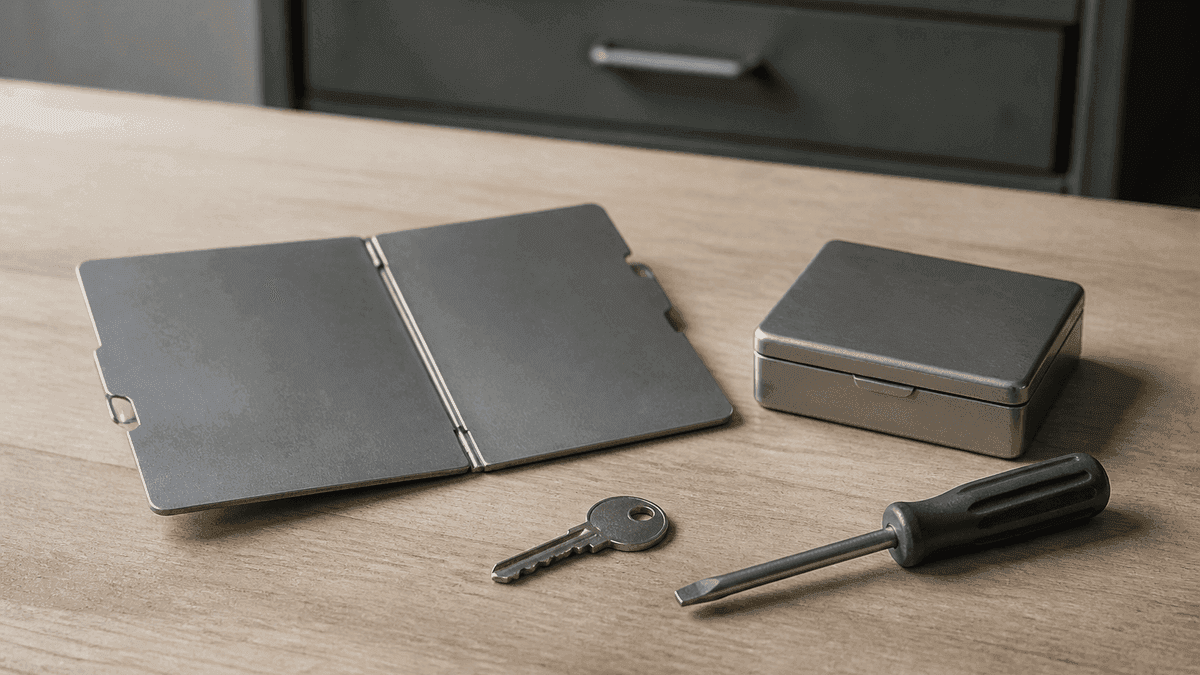
How to Store a Seed Phrase Safely: What Steel, a Passphrase and Multisig Do for Your Wallet Backup
The Coldcard case pushed the manufacturer question to the front, while barely touching on where the backup is kept. This guide places paper, steel, the passphrase and splitting methods against the BIP-39 and SLIP-0039 standards.
October 2, 2026 4:32 AM
NEAR Intents halts withdrawals after a $3.8 million exploit: here are the reasons
NEAR Intents confirms an exploit of more than $3.8 million and holds deposits and withdrawals on eleven networks. Reimbursement is promised, a date for it is not.
September 8, 2026 1:16 PM

STPT to AWE Swap: What Happens to Your Tokens on September 21, 2026
On September 21, 2026 the swap window from STPT to AWE closes for good. Only self-custody holders are affected: here is how to check in five minutes, and why your real deadline can fall earlier.
September 7, 2026 1:27 PM

Liquid Network: Around 4,000 Bitcoin Drained via a Peg-Out, and What L-BTC Holders Must Check Now
Around 4,000 Bitcoin drained out of the Liquid Network federation wallet on September 6, even though no key was stolen. The network is halted and redemption is blocked. Here is what you should check now as an L-BTC holder.
September 4, 2026 10:15 PM

Trezor Data Breach: Am I Affected and What Should I Do Now?
Trezor widened the ShipMonk data breach on September 4, 2026: around 67,000 further people affected, just over 80,000 in total, from orders placed between November 2019 and August 2021. How to check in two minutes whether you are among them, and what an exposed home address means for self-custody.
September 4, 2026 10:17 AM
Cypher Shutdown on September 6: What Users Should Know Now the Withdrawal Deadline Has Passed
Recap as of September 27, 2026: Cypher had announced it would take its app, dApp and withdrawal window offline on September 6, 2026 and end the token protocol. This article describes the situation before the deadline, how the payout worked and what our own measurement showed at the time about what was left of the CYPR token.
August 21, 2026 7:26 PM

Restoring a Seed on Another Manufacturer's Wallet: What BIP39 Guarantees and What It Does Not
Your seed is yours; the device belongs to a company. This article explains what the open BIP39 standard actually guarantees, why a wrong derivation path makes a full wallet look empty, and the test that settles both in twenty minutes.
September 16, 2026 4:12 AM
Wallet Drops a Network: How to Rescue Your Coins Before the Deadline
Phantom is ending Sui support on September 24, 2026, and Trust Wallet has already removed 25 networks: five shutdowns of this kind in four weeks alone. What really happens to your balance, which two routes you have before the deadline and where the move most often fails.
October 2, 2026 10:36 AM
Hot Wallet or Cold Wallet: the Private Key Decides How Safe Your Coins Are
Hot wallet or cold wallet: the difference rests solely on whether the private key is online. What separates the two forms, where the limits of hardware lie and why moving to your own device triggers no tax.
September 23, 2026 4:12 AM
How to Set Up a Crypto Wallet: Securing Your Coins in Seven Steps
Your own crypto wallet is set up in twenty minutes, yet a single step decides everything that follows. This guide takes you through wallet type, recovery words and the test amount, and sets out what BaFin and the tax office expect.
September 16, 2026 7:39 PM
Deutsche Bank to Custody Bitcoin and Ether: Why Retail Clients Are Missing and What to Check in Your Own Custody
Deutsche Bank will custody Bitcoin, Ether and three stablecoins, but addresses corporates and institutions only. What the launch under supervisory reservation means, and the four questions you should put to any custody arrangement.
September 29, 2026 10:14 AM
387.5 million dollars at Bitget: the attack ran through a bought-in security product, what to watch now
Bitget has disclosed how the attackers reached its withdrawal systems on September 24: through a previously unknown flaw in a security product it had bought in. The second stage of the withdrawal schedule opens today at 08:00 UTC, and for the balance you keep on any exchange the case changes the arithmetic.
September 11, 2026 1:26 PM
Alby Hub Security Flaw: How to Check Whether Your Bitcoin Lightning Node Is Reachable From the Internet
Alby confirmed a critical flaw in Alby Hub v1.7.0 through v1.18.5 on September 9, 2026; it is only exploitable if the management interface sits openly on the internet. What to check on your node, why the fix is a good twelve months older than the warning, and which step comes before the update.
September 26, 2026 7:34 AM
Setting Up a Multisig Wallet: When Two of Three Keys Are Worth It for You
A multisig wallet demands several keys for a transfer and so makes a single theft worthless. We show which threshold fits you, what you have to back up besides the keys, and why most setups fail at the configuration.
September 16, 2026 1:28 PM
Crypto Withdrawal to Your Own Wallet: Ten Providers Checked, Three Will Not Let Your Coins Out
Seven of ten providers available in Germany offer a payout to a wallet address you control yourself; three do not. Our survey of September 16, 2026, shows how to spot the difference before you buy, and why the question matters right now.

August 30, 2025 11:00 PM
OKX Brings Wallet & Onchain Services to Europe
OKX expands its Wallet and onchain services to Europe, giving users secure self-custody, smart trading tools, and seamless access to DeFi and dApps.

December 26, 2025 1:50 PM
Breaking: Trust Wallet Chrome Extension Hack Drains $7M, Full Reimbursements Promised
A supply-chain attack hit Trust Wallet’s Chrome extension, draining $7M from users. Binance’s CZ says all victims will be reimbursed.
September 30, 2026 4:15 PM
Zcash today: 2,746 ZEC from the Bitget hack vanish into the Ironwood pool
Wallets from the Bitget break-in pushed 2,746 ZEC into Zcash's Ironwood pool on Wednesday morning, roughly $3.9 million. What the shielding means for tracing, and what applies to your exchange account from July 2027.
September 29, 2026 10:28 PM

Customers Pull $463 Million From Bitget: The Consequences for Reserves and Custody
After the attack of September 24, customers pulled around $463 million out of Bitget within a day, the largest single-day outflow since DefiLlama began tracking reserves. The user protection fund fell from $464 million to below $200 million in the process.
September 26, 2026 4:14 PM
Bitget Withdrawals Resume on September 28: What to Check on a Residual Balance Now
Bitget is releasing the withdrawals frozen after the September 24 incident in four stages from September 28. For a residual balance held from Germany that is a deadline, not a reason to wait.
September 26, 2026 4:11 AM
Shielded Bitcoin: what the privacy proposal means for your Bitcoin addresses
Three researchers published a draft for encrypted Bitcoin transfers without a soft fork on September 24, 2026. What Shielded Bitcoin hides, what stays public and which points you can check on your own wallet today.
September 23, 2026 10:11 AM
Kraken: 45 coins are on cancel only, 21 were announced – what to check when trading pairs are blocked
On September 23, 2026 we counted the public market directories of three trading venues. At Kraken, 82 of 1,450 trading pairs are listed as cancel only, a state in which an order can only be cancelled and no longer executed. The 45 underlying assets affected include just 21 that appear in the delisting notice we reported on September 3.
September 9, 2026 1:14 PM

OKX Delists GODS, PRCL and DUCK: You Can Still Withdraw the Tokens Until November 7, 2026
OKX ended trading in GODS, PRCL and DUCK in August, but withdrawals stay open until November 7, 2026. What to do in those three months, where the tokens now sit in your account, and why the exchange leaves open what happens to them afterwards.
September 5, 2026 10:33 AM
ZIL Withdrawals Frozen: Why Your Zilliqa Balance Is Stuck After the Hard Fork
The Zilliqa hard fork of September 2, 2026 moved the ZIL balances of ten exchanges to new addresses. Three days later, deposits and withdrawals were still halted at the three venues we checked: what that means for your balance, what self-custodians are waiting for, and why the announced compensation is not a decision yet.
September 4, 2026 10:26 PM

Pocket Bitcoin Data Breach: When Name, Home Address and Bitcoin Address Circulate Together
The Swiss Bitcoin service Pocket Bitcoin closed its investigation on September 3, 2026: 5,411 people affected, and for 291 of them the Bitcoin addresses they used along with copies of identity documents. Why this one data pairing has lasting effect, and what you should check with your own provider.
More from CryptoTicker