
Phantom wallet setup: twelve words decide the fate of your Solana coins
The Phantom wallet takes a few minutes to set up, but it only becomes secure with a properly stored recovery phrase. This guide runs from download and first deposit through swaps with a 0.85 percent fee to Ledger, staking and tax.

Which topics should we dive deeper into?
Select what genuinely interests you. Your picks feed directly into our editorial planning.
Crypto news that's actually worth your time.
Weekly. 60 seconds. Carefully curated by our editors: no hype, no promo flood, no spam.
Setting up the Phantom wallet takes only a few minutes, even for beginners: download the app or browser extension from phantom.com, create a new wallet, back up the twelve words of the recovery phrase offline and then send your first deposit. What matters is less the technology than the order of the steps. Anyone who does not store the recovery phrase properly loses access to their coins if their phone goes missing, and nobody can get them back.
Phantom is the best-known crypto wallet on the Solana blockchain, the ecosystem of Solana. The wallet manages SOL, Solana tokens and NFTs, can swap tokens directly and earn yield on SOL through staking. Unlike an account at an exchange, it is a so-called self-custody wallet for cryptocurrencies: only you hold the private key. This guide walks through every step, lists the fees as of November 2026 and shows where the typical mistakes lie. If you want to weigh Phantom against other software wallets such as MetaMask or Trust Wallet, our software wallet comparison will help.
What the Phantom wallet is: self-custody for Solana and eight other networks
A software wallet is a program that stores your private keys on your device and uses them to sign transactions on the blockchain. The coins themselves sit on the blockchain, never in the app. The wallet is merely the key ring that gives you control over them.
Phantom launched in 2021 as a pure Solana wallet and has since grown into a multichain wallet. According to the official network list in its help centre, Phantom currently supports nine networks: Solana, Ethereum, Base, Polygon, BNB Chain, Bitcoin (Native SegWit and Taproot), HyperEVM, Robinhood Chain and Arc. Arbitrum, Optimism, Avalanche, Unichain and Linea are explicitly not among them.
The list changes. In late summer Phantom dropped two networks again: Monad at the end of August and Sui on September 24, 2026. What holders had to do is set out in our article on the end of Sui and Monad support. In practice: before every transfer, check that the network is genuinely active in your wallet under Settings and "Active Networks". Phantom does not display tokens on an unsupported network, even if they sit at your address.
A word on supervision: under the European MiCA regulation, anyone who holds crypto assets in custody for customers needs a licence. A wallet whose key only you know is not such a custodian. That has an advantage, because no exchange can freeze your balance. And a drawback: there is nobody who is liable for lost coins either. How other users rate Phantom in day-to-day use is summarised in our Phantom review.
Download only from phantom.com: browser extension and app for iOS and Android
Phantom is available as a browser extension for Chrome, Brave, Edge and Firefox and as an app for iOS and Android. The safest route is phantom.com/download, from where the site links to the right store. Do not search for the extension via an ad in a search engine. Fake Phantom extensions and apps with near-identical names keep appearing, and they have only one goal: your recovery phrase.
In the Chrome Web Store you can recognise the original by the publisher, Phantom, and by the large number of users and reviews. The same applies in the App Store and on Google Play. After installation it is best to pin the extension to the browser toolbar so you do not later confuse it with a website pop-up. Phantom always opens signature requests in the extension's own window, never as a form in the middle of a website.
Whether desktop or phone depends on what you plan to do. The app is more convenient for transfers on the go and supports unlocking with Face ID or a fingerprint. You need the Phantom extension if you want to use DeFi platforms and other decentralised applications on Solana on the desktop, or connect a Ledger later. Both can run in parallel with the same recovery phrase.
Recovery phrase or Google login: two ways to create a new wallet
On first launch, Phantom offers two options under "Create a New Wallet". Both lead to a fully functional wallet, but they differ in how you restore it.
Option 1: wallet with a recovery phrase
The classic option is called "Create a Recovery Phrase Wallet". Phantom generates a recovery phrase of twelve English words. This seed phrase is the human-readable form of your private key: all of the wallet's addresses can be recalculated from it at any time, on any device and even in another compatible wallet. You then set a password for the extension or, in the app, enable biometric unlocking. Important: the password and fingerprint unlock Phantom only on that one device. Neither replaces the recovery phrase.
Option 2: sign-in with Google or Apple
Via "Continue with Email" and then Google or Apple, you create a wallet without a visible word list. Instead of the twelve words you choose a four-digit PIN, which you need to restore the wallet on a new device. That lowers the barrier to entry but shifts the risk to your Google or Apple account. If it is taken over, an attacker needs only the PIN. Phantom itself therefore recommends also noting down the twelve words as a backup under Settings, "Security & Privacy" and "Show Recovery Phrase". You should not skip this step.
Finally, Phantom assigns a username. It makes transfers between Phantom users easier but is publicly visible. Do not choose a name that reveals your real name or your wealth.

Storing your seed phrase safely: paper, a metal plate and what never goes online
The twelve words are the only thing standing between you and a total loss. Anyone who knows them can open your wallet on their own device and drain everything without ever touching your phone. A simple rule therefore applies: the seed phrase exists only offline.
- Write the words down on paper in the correct order with their numbers, and double-check every word.
- No photo, no screenshot, no notes app, no password manager with cloud sync and no email to yourself.
- For larger amounts, a metal plate into which you punch or stamp the words is worth it. Such a plate survives water and a house fire.
- Keep the backup in a place a relative could also find in an emergency, for example in a sealed envelope with your will.
Whether your note is complete only becomes clear during a restore. So run the test yourself: install the extension in a second browser profile, choose "I Already Have a Wallet" and restore the wallet from your note. If the same Solana address appears, your backup is complete. Do this test while there is still no money in the wallet.
Depositing SOL: Solana address, network choice and the first transfer from an exchange
A new wallet is empty. Most users buy their first SOL on an exchange and then transfer it to Phantom. Which platforms in Germany offer SOL for euros and what they cost is shown in the exchange comparison linked at the end of this guide.
You can find your receiving address in Phantom under "Receive". A Solana address is a string of 32 to 44 letters and digits in Base58 format; unlike an Ethereum address, it does not begin with "0x". Phantom shows a separate address for each active network. For SOL and Solana tokens, make sure you choose the Solana address.
The most common mistake happens when withdrawing from the exchange: the choice of network. Select "Solana" or "SOL" as the network, not BNB Smart Chain or another network on which the exchange also lists a SOL token. Copy the address instead of typing it, then compare the first and last four characters. Malware that tampers with the clipboard swaps in a different address at exactly that point.
Send a small test amount the first time. Once it arrives, send the rest. On Solana a simple transfer costs a base fee of 5,000 lamports per signature, which is 0.000005 SOL. Still, always keep some SOL in the wallet, because every transaction on Solana is paid in SOL, even if you are only sending USDC or another token. Which additional costs arise for token accounts and how to track a transfer in the block explorer is explained in our article on Phantom, Solscan and the real cost of a Solana transfer.
Withdrawing money from the Phantom wallet
The way back into euros also runs through an exchange. You send SOL or a stablecoin such as USDC to your deposit address at the exchange, again on the Solana network, and sell there. The exchange then transfers the balance to your bank account. Phantom itself does not pay out euros to an account.
When a deposit does not arrive
If a deposit is missing, it is usually down to one of three things: the exchange sent it over a different network, the network is not active in Phantom, or the token is hidden as unknown. With the transaction ID from the exchange, you can see in the block explorer to which address and over which blockchain the coins went. If a withdrawal is stuck at the exchange, only its support can help.
Swaps in Phantom: a 0.85 percent fee, slippage and gasless transactions
The swap function lets you carry out token swaps directly in the wallet, without going through an exchange. To do so, Phantom queries several decentralised exchanges and liquidity pools in the background and takes the best price. The principle is called a DEX aggregator: software that splits an order across several decentralised trading venues.
According to the help article on swaps, Phantom charges its own fee of 0.85 percent on most swaps, plus the network fee. Exempt are swaps from USDC, USDT, USDG or PYUSD into the app's Cash account and deposits into the perps balance. On €1,000 of swap volume, that is €8.50 for Phantom. Anyone who swaps often should weigh that against an exchange's fees.
There are two settings you should understand before confirming:
- Slippage is the maximum deviation you accept between the displayed price and the price actually executed. The automatic setting is enough for most swaps. With small tokens and thin liquidity, a high tolerance can get expensive.
- Price impact describes how strongly your own order moves the price. A value of several percent is a warning sign that the pool is too small for your order size.
For swaps between networks, for example from ETH on Ethereum into SOL on Solana, Phantom uses bridge providers such as LI.FI, Relay, deBridge and Garden. The network fee then also includes their charge, and the minimum amount is around $2.
If you lack SOL for the network fee, a gasless swap may step in on Solana. Phantom then deducts a flat fee from the token you are swapping instead of charging SOL. According to the help centre, the requirements are a swap value of at least $0.30 and a verified destination token. It does not work with a manual priority fee or an exact output amount.
SOL staking in the Phantom wallet: native delegation and liquid staking
With staking you make your SOL available to a validator, which uses them to confirm blocks on the network. In return you receive part of the rewards. In Phantom this works in two ways: as native delegation to a validator of your choice, or through liquid staking, where you receive a tradable staking token for your SOL.
With native delegation the SOL remain under your control, but they sit in a separate stake account and only become free again at the end of an epoch once you stop staking. An epoch on Solana lasts about two days. Liquid staking avoids this waiting period because you can swap the staking token back at any time, but security then also depends on the provider's smart contract.
The yield fluctuates with the network and with the validator's commission. When choosing, look for a low commission and a long record without outages. How staking directly in the wallet compares with offers from exchanges and platforms is covered in our overview of staking platforms.
Connecting a Ledger to Phantom: a hardware wallet as a second layer of security
A software wallet on a computer connected to the internet remains vulnerable. In the worst case, malware can intercept signatures or slip in forged transactions. For larger holdings a hardware wallet is therefore worthwhile: a small device from which the private key never leaves and on whose own display every transaction must be confirmed.
Phantom can be paired with a Ledger. You install the Solana app on the Ledger, open it, choose "Add / Connect Wallet" in the Phantom extension menu and then the option to connect a hardware wallet. Phantom remains the interface afterwards, but signing takes place on the device. This also lets you use staking and swaps from the Ledger. Pairing works most reliably in Chromium browsers such as Chrome or Brave.
A sensible model for many investors: a Phantom wallet with a small amount for everyday use and a Ledger address in Phantom for long-term holdings.
Phishing and drainers: the scam patterns around Solana wallets
Is Phantom a safe wallet? The answer depends above all on you, because the weak point is usually the person in front of the screen who falls for a phishing attack.
Most losses among Phantom users do not stem from a flaw in the wallet but from a signature the user gives themselves. A wallet drainer is a malicious website or smart contract that tricks you into a signature allowing it to withdraw tokens from your wallet. On Solana a single transaction can transfer several tokens at once.
The typical patterns repeat themselves:
- Fake airdrops: unknown tokens or NFTs appear in your wallet and point to a website where you are supposed to "redeem" them. Phantom hides many of them as spam. Never interact with tokens you do not know.
- Fake support: Phantom never contacts you by direct message and never asks for your recovery phrase. Anyone who asks for it is a scammer.
- Cloned wallet sites: in early November a fake site appeared that was designed to get Phantom users, as well as Trust Wallet users, to enter their words. The details are in our report on the fake Trust Wallet site.
Read every signature request. Phantom simulates transactions in advance and shows which tokens would leave your wallet. If the preview shows outflows you do not expect, or Phantom warns of a known malicious site, cancel. You can disconnect a connected site in the settings under connected apps.
 Buy SOL: compare crypto exchanges with euro deposits
Tax on swaps and staking income in Germany
The wallet changes nothing about tax, but it can make things messy. In Germany, crypto assets fall under private disposals pursuant to Section 23 of the German Income Tax Act. If you sell or swap coins at a profit within one year of buying them, the gain is taxable. A swap from SOL into another token counts as an exchange and is therefore treated like a sale. Since 2024 an exemption limit of €1,000 of gains a year has applied; if you exceed it, the entire gain is taxable. After a holding period of one year, the gain is tax-free.
Staking rewards count as other income under Section 22 No. 3 when received, with a separate exemption limit of €256 a year. According to the German Federal Ministry of Finance's circular of March 2025, staking does not extend the holding period of the coins used. A separate one-year period begins for the rewards received.
Because Phantom does not produce tax reports, you have to document every transaction yourself. A tax tool reads your public Solana address and calculates gains using the FIFO method. Enter only the address there, never the recovery phrase.
Phantom wallet: back up the twelve words first, then send SOL
The Phantom wallet installs quickly; your habits are what make it secure. Three steps take you from an empty wallet to well-protected holdings:
- Buy SOL cheaply: compare fees and euro deposits in the exchange comparison and transfer a test amount to your Solana address.
- Secure larger amounts offline: pair a Ledger or another device from the hardware wallet comparison with Phantom and keep only your everyday balance in the app.
- Document swaps and staking: connect your public address to a program from the comparison of tax tools and portfolio trackers before hundreds of transactions pile up.
(As of November 8, 2026. This article is not investment advice. Prices and fee structures change; check the terms with the provider before you buy.)
Frequently asked questions about the Phantom wallet
Transparency note: This article was produced with the assistance of artificial intelligence and reviewed by our editorial team before publication. All figures and claims were checked against the primary sources linked in the text. The feature image was generated with AI.
More on Solana: All Solana news at a glance
Related articles
- Keplr Wallet halts Google and Apple login after Web3Auth flaw drains accounts
- Dogecoin news: Why Mishaboar warns against social login wallets
- Trust Wallet Phishing: Fake .cam Site Also Targets Phantom and OKX Wallet
- Restoring a Crypto Wallet: Your Seed Phrase Gets the Coins Back
- Foundation Passport: 23,000 phishing emails came from the wallet maker's own systems
Which topics should we dive deeper into?
Select what genuinely interests you. Your picks feed directly into our editorial planning.
Crypto news that's actually worth your time.
Weekly. 60 seconds. Carefully curated by our editors: no hype, no promo flood, no spam.

November 2, 2026 9:43 PM
How to store crypto safely: protect yourself from hacks like the one at Binance
After the $6.3 billion hack at Binance: how to store your cryptocurrencies safely. Hardware wallets compared, wallet scanners such as MetaMask Security Alerts, the key settings on your exchange account and a seven-step checklist.
November 2, 2026 9:25 AM
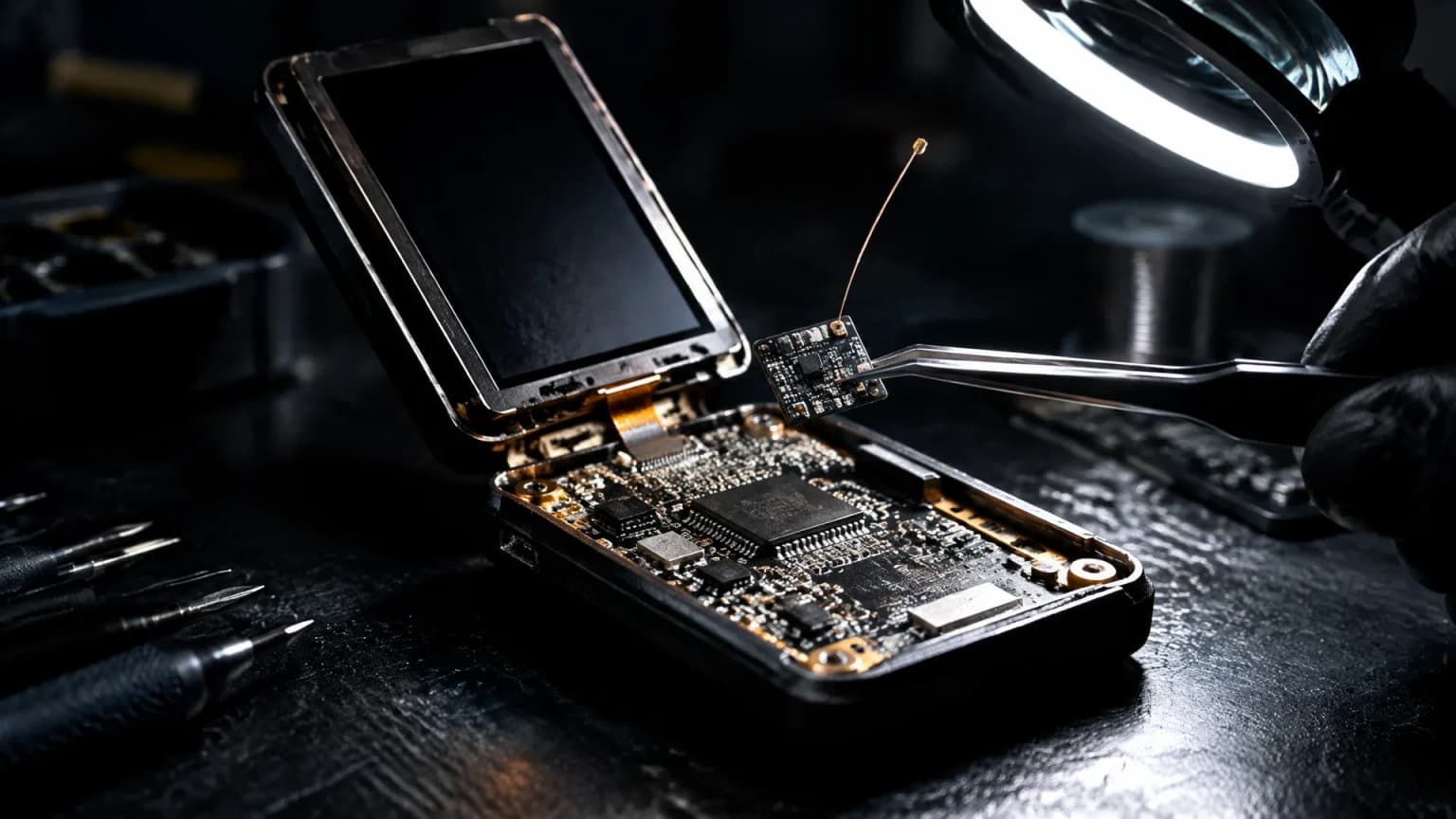
Trezor Safe 5 implant reported at CryptoBilis: who needs a new wallet now
Trezor is warning everyone who has ordered from former reseller CryptoBilis since March 2026: an extra board with a cellular module in a Safe 5 is said to read the recovery phrase. Who is affected, why weighing the device does not help, and how to move to a new wallet.
October 29, 2026 9:49 PM
Is This the End? How Low Bitcoin Could Fall After the Binance Hack
About $2.8 billion left a Binance hot wallet and Bitcoin slid below $79,000. Whether this turns into a real crash depends on one question. Three scenarios, the key price levels for Bitcoin, Ethereum and Solana and what to do now.
October 29, 2026 3:40 PM

$13.84 million in 48 hours: Arkham says the drainer is “still moving funds”
Arkham Intelligence puts the haul of the CryptoBilis Ledger drainer at 95.35 million dollars across 1,486 addresses and reports 13.84 million dollars moved within 48 hours. Ten million USDT sit frozen, and Ledger traces every confirmed case back to one retail route.

October 26, 2026 12:00 PM

Bitcoin Wallet Bug: Why Speeding Up a Payment Could Drain Your Wallet
A Bitcoin wallet bug let rogue servers swap a real payment for a fake one and trick users into signing it. How the fee bump trap works and how to stay safe.
October 26, 2026 12:15 AM
Coldcard class action over $140 million: what it means for owners
A proposed class action against Coldcard maker Coinkite is before a court in Ontario: a firmware flaw allegedly made recovery phrases predictable, and the claim puts the Bitcoin drained as a result at more than $140 million. What owners of an affected device should check and document now.
October 23, 2026 10:21 PM
Ngrave phishing: $2.56 million left 70 wallets after a hijacked push provider
Attackers hijacked the push provider of Belgian hardware wallet maker Ngrave and sent fake security alerts to users of the LIQUID app on October 17. Anyone who entered their recovery words lost their balance: between $2.56 million and $2.65 million flowed out, while the devices themselves remained untouched according to the company.
October 18, 2026 4:18 AM
Trezor cuts its authorized dealers: the authorizations end on January 1, 2027
After the supply chain attack on Ledger devices, Trezor is shrinking its dealer network and ending the authorizations on January 1, 2027. Until then, dropped partners may sell down their remaining stock, so the whole Christmas season still falls under the old list.
October 17, 2026 10:44 PM
Creating a Bitcoin wallet: the first ten minutes decide who has access
A Bitcoin wallet is set up in ten minutes, and that is precisely the danger. Which four steps every setup runs through, why the first transfer should be a test amount, and which five mistakes cost the most.
October 16, 2026 4:50 PM
Ledger sells the Atom at $849 through its own shop only: “For years, our customers have been asking us for a Ledger phone”
Ledger presented the Android device Atom on October 15 and sells it exclusively through its own shop. After tampered devices were found in the intermediate trade, the distribution route itself becomes a security question.
October 16, 2026 4:41 PM
Fake Ledger firmware updates: SlowMist reports phishing pages with a replica Genuine Check
A phishing campaign reproduces the sequence of an official Ledger update and asks, at the end, for the 24 recovery words. SlowMist reported it on October 16; Ledger had set out its reading of the underlying implant case a day earlier.
October 14, 2026 1:30 PM
What is a hardware wallet? How the device protects your keys
A hardware wallet stores no coins, only the private key, and it never releases it. How signing works inside the device, what the 12 or 24 words mean, and which attacks the design cannot stop.
October 13, 2026 1:16 AM

Ledger Confirms Implant in a Hardware Wallet as Reports Reach Europe: What Is Behind It
Ledger confirms an unauthorised additional circuit board in a tampered device and traces the confirmed cases to a reseller in South-East Asia. One report from European retail is still open, which makes the purchase route of your own device the criterion.
October 12, 2026 10:41 AM
14.7 million swapped into USDD, 20 addresses frozen: what to check with your stablecoin
After the thefts among Ledger buyers, Tether has frozen more than 20 addresses and locked up around $10 million. Because part of the loot was swapped into USDD, the case shows exactly how far a stablecoin's freeze function reaches.
October 11, 2026 1:24 AM
Three Mistakes When Setting Up Trust Wallet: The Twelve Words Never Belong on the Phone
Trust Wallet is set up in five minutes, yet three mistakes in those minutes regularly cost the entire balance. This guide covers the six steps, the real cost of a swap, and what applies in Germany on the holding period and supervision.
October 10, 2026 10:35 PM
Fake Ledger Site Tops Google Search: “Once the recovery phrase has been handed over, the wallet must be regarded as compromised”
A security researcher reports a rebuilt Ledger site high up in Google's results that asks for the 24-word phrase. Running alongside it are emails with an invented deadline of October 15.
October 9, 2026 5:36 PM
Ledger Hack? $86 Million Drained: What Is Behind the Tampered Wallets From Southeast Asia
Since Friday, Ledger users in Southeast Asia have been reporting empty wallets, and analysts count more than $86 million. Ledger has halted the reseller CryptoBilis. An implant inside the device reportedly reads the seed phrase. What is known, what CZ advises and what you should do now.
October 6, 2026 4:29 PM

Setting up MetaMask: the twelve words that control your coins
MetaMask is set up in ten minutes, and in those ten minutes you make the decisions that later determine what happens to your balance. This guide walks through installation, the recovery phrase, networks, approvals, fees and the German tax position.
October 5, 2026 1:36 PM

Paper Wallet with a Single Key: The Printed Storage Method Compared with the Seed Phrase
A paper wallet carries a single private key on paper, and that is exactly where its weaknesses lie: printers, change, misread characters. What the storage method achieves, where it fails and how to wind up an old sheet safely.
September 28, 2026 10:26 AM
Phantom Wallet and Solscan: What a Solana Transfer Really Costs and Where It Fails
A transfer on Solana costs 0.000005 SOL, a new token account ties up 0.00148844 SOL once — both values measured on-chain by us today. This practical guide shows how to set up Phantom, how to get there from the exchange, how to read Solscan and what applies for tax in Germany.
September 23, 2026 4:12 AM
How to Set Up a Crypto Wallet: Securing Your Coins in Seven Steps
Your own crypto wallet is set up in twenty minutes, yet a single step decides everything that follows. This guide takes you through wallet type, recovery words and the test amount, and sets out what BaFin and the tax office expect.
September 17, 2026 4:14 PM
D'CENT App Wallet: How to Tell If Your Recovery Phrase Has to Move Now
Manufacturer IoTrust reports suspicious asset transfers in the D'CENT app wallet and asks users to move their holdings. One question decides the matter: has your recovery phrase ever been entered into the app?
September 16, 2026 4:12 AM
Wallet Drops a Network: How to Rescue Your Coins Before the Deadline
Phantom is ending Sui support on September 24, 2026, and Trust Wallet has already removed 25 networks: five shutdowns of this kind in four weeks alone. What really happens to your balance, which two routes you have before the deadline and where the move most often fails.
September 10, 2026 9:13 AM
Trezor Hack Scare: That STM32 Entropy Email Is a Phishing Attack
Trezor users received a fake STM32 entropy warning sent from a real Trezor address. Here is what happened and what to do if you clicked.
September 4, 2026 10:17 AM

Cypher Shutdown on September 6: What Users Should Know Now the Withdrawal Deadline Has Passed
Recap as of September 27, 2026: Cypher had announced it would take its app, dApp and withdrawal window offline on September 6, 2026 and end the token protocol. This article describes the situation before the deadline, how the payout worked and what our own measurement showed at the time about what was left of the CYPR token.
August 25, 2026 10:31 PM
Crypto Wallet Phishing by Letter: Why the QR Code From Your Postbox Wants Your Recovery Phrase
Letters carrying a QR code urge a supposedly urgent wallet update on grounds of quantum resistance and lead to a page that asks for the recovery phrase. The Federal Office for Cybersecurity reported the ploy on August 18, 2026.
More from CryptoTicker